Funeral · Memorial service

In 5 minutes: a funeral order of service.

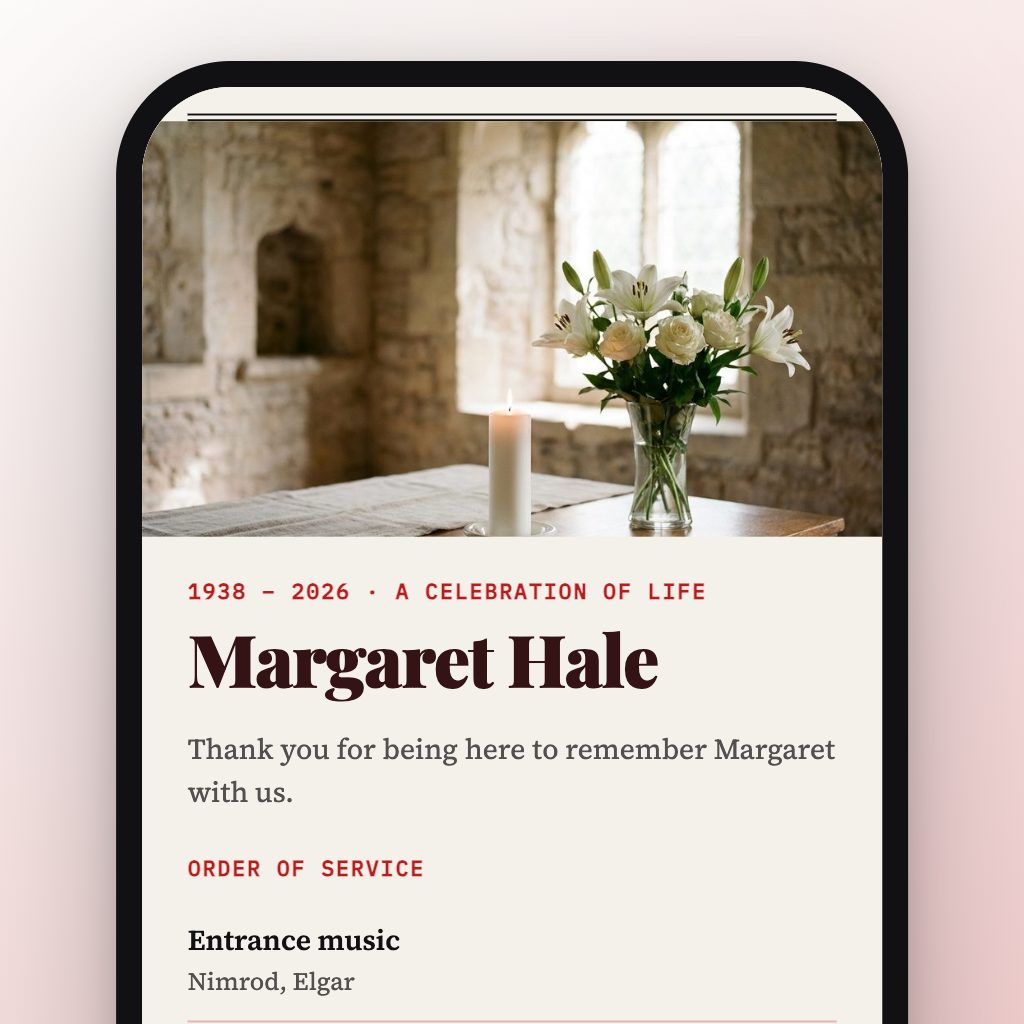
Type the running order, hymns and tribute into the fields — the printable programme card and the mini website behind it build themselves. Guests scan and see the livestream, the full hymn lyrics, the donation link. Free, no account.

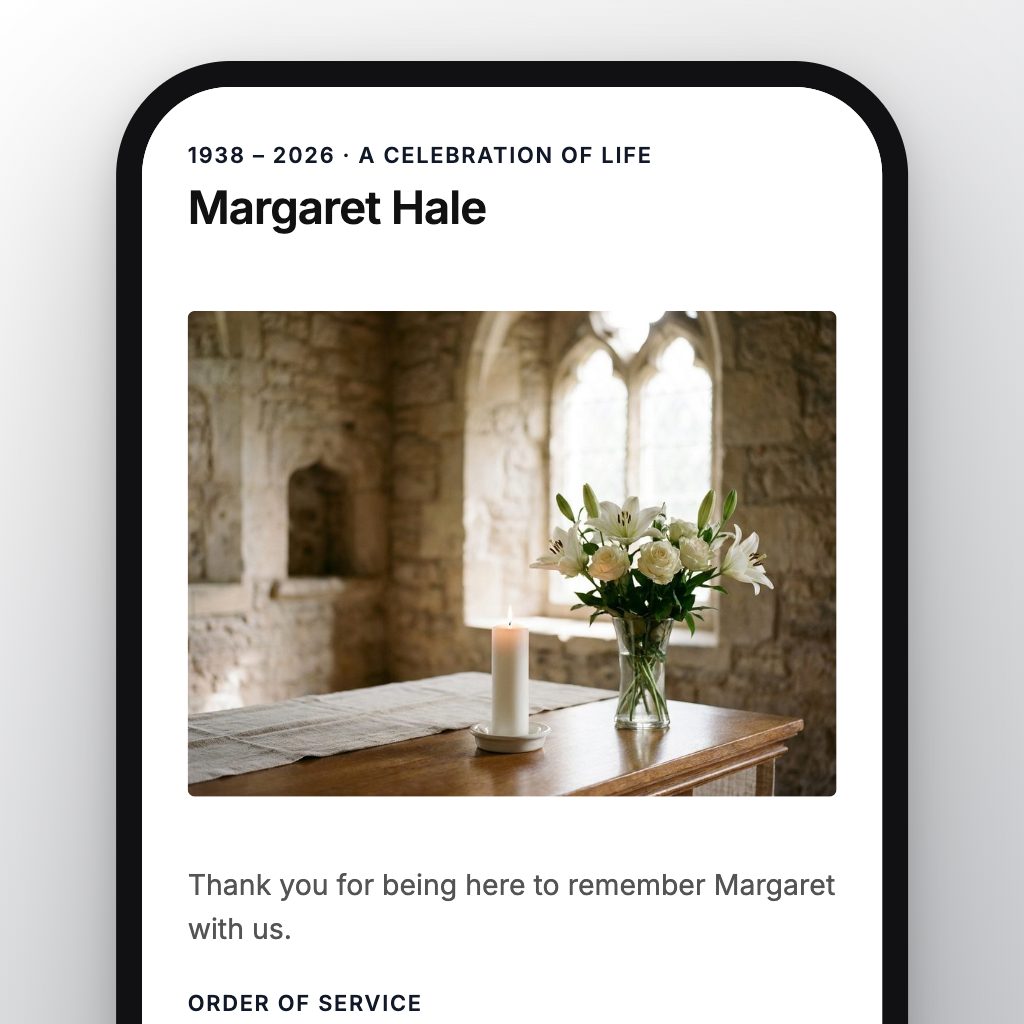
Phone showing the mini website for a funeral: order of service, hymn words and a livestream

A printed programme card

A5 or A4, ready to print.

QR for livestream & tribute

For everyone who cannot travel.

Free

No time limit, no subscription.

No account

Just your email to confirm, no password.

Works with AI assistants

ChatGPT or Claude fills in the fields, you check them. How it works.

Ready-made templates

You fill in the fields, the design is ready.

Why put a QR code on the order of service?

The running order fits on paper. The rest fits behind the QR.

The full tribute, hymn lyrics, a longer life story to take home — all on the mini website, without a thicker booklet.

A livestream for the ones who cannot be there.

Family who cannot travel: the QR code goes straight to the livestream link — no slip of paper with a cryptic address.

A donation link on the mini website.

Instead of a plate at the door: put the charity or funeral-fund link behind the QR. The printed code stays the same.

A map to the service, included.

Type the address once — guests find the service without texting you. Add where the burial is in the details. Works as a plain link in the notice too.

A typical funeral order of service

1

Entrance music

As the coffin is brought in and everyone stands.

2

Welcome

The minister or celebrant greets everyone and names the person.

3

First hymn or song

A hymn in church, or a piece of music that meant something to them.

4

Reading

A Bible passage or a poem, read by family or a friend.

5

Tribute

The eulogy: one person, or a few short memories from several.

6

Prayers or reflection

Prayers in church, or a quiet moment to remember.

7

Second hymn or song

Often something everyone can sing along to.

8

Commendation and committal

The words of farewell. At a crematorium, the curtains may close here.

9

Closing words

A blessing or last words, plus where the reception is.

10

Exit music

As everyone leaves.

What to write on the front and the back

Front: “In loving memory of” or “A celebration of the life of”, then the full name and the years, for example 1941–2026. Under it: the date, time and place of the service. In the fields, that is the Title (“In loving memory of Mary Smith”) and the Subtitle (“Memorial service · 14 October 2026”).

Inside: the running order, one line per part, with the hymn title or the reader’s name next to it. The Order of service field takes one line per part, and the programme card prints up to 14 of them.

Back: a short thank-you from the family, where to send donations, and where the reception is. These go into Add more details and the Links field on the mini website, so the card stays short. The QR code on the card opens them.

What is the proper order of service for a funeral?

There is no single correct order. A church funeral usually follows the running order above: music, welcome, hymn, reading, tribute, prayers, hymn, committal, closing words, music. A humanist or civil funeral keeps the music, readings and tributes and leaves out the hymns and prayers. Agree the final order with the minister, celebrant or funeral director before you print.

Who writes the order of service?

Usually the family, together with whoever leads the service. The person leading it knows which parts are fixed, for example the committal words in church. You fill in the fields; you can share the mini website’s address with the family to check it before anything is printed.

How much does a funeral order of service cost?

On qrpage.co, the mini website, the QR code and the programme card to print are free, with no account. You print the card at home or at a print shop, so you only pay for paper and printing.

Can I print a full booklet?

Not here. qrpage.co makes a single A5 programme card with the title, the running order and the QR code. The full tribute, the hymn lyrics and photos go on the mini website behind the QR code. If you already have a booklet from a printer, download the QR code as PNG or SVG and put it on the back cover.

What if something changes after printing?

Change the mini website through the edit link in the email — a new livestream link, a different reception venue. The QR code stays the same, so the printed cards still work. Only the lines printed on the card itself need a reprint.

Do guests need an app?

No. Whoever scans the QR code with a phone camera sees the mini website in the browser: the order of service, the livestream, the donation link and the map.
The order of service in 4 steps

1

Fill in the fields

Names, running order, hymns, tribute, church.

2

The mini website builds itself

Live as you type, automatically designed.

3

Confirm by email

One click — the mini website is live.

4

Print the programme card

A5 or A4 with the QR code — on the seats.

Other templates

A QR code for something else?

Museum or garden QR code

A plaque at a landmark — with history, photos, and a map behind it.

Make a QR plaque →

A QR code with information

Need a QR code that shows more than a link? Build a mini website behind it.

See the templates →

Wedding order of service

Running order, hymns, readings — a printed programme card with a QR code behind it.

Make an order of service →

Wedding program

Ceremony order, readings, songs — a printed program card with a QR code behind it.

Make a wedding program →

Funeral program

Ceremony order, readings, tribute — a printed program card with a QR code behind it.

Make a funeral program →

Wedding website template

Schedule, directions and hotel on one mini website — in your design, with a QR code.

Make a wedding website →

Linktree alternative

All your links behind one QR code — free, no account, with a poster to print.

Collect your links →

Airbnb welcome book

Check-in steps, Wi-Fi and house rules behind a QR code on a poster.

Make a welcome book →

QR code for a YouTube video

Paste the video link into the Links field — the QR code opens a button that plays it.

Make a video QR code →